 Sealio Docs
Audit log and activity
See who did what, and when, across your firm, and export it.
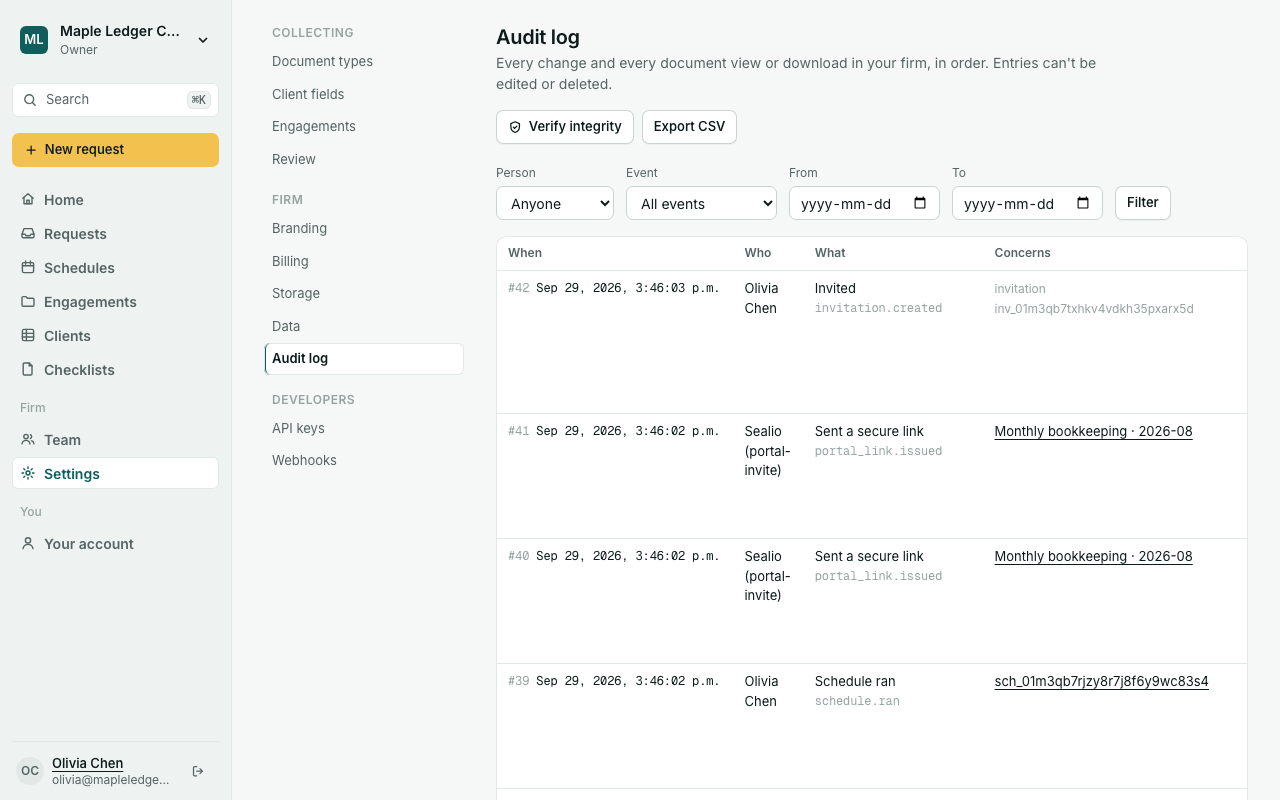
Sealio records every change in your firm, every document someone views or downloads, and every email sent to a client. Entries can't be edited or deleted, and each one is linked to the one before, so any tampering would show.
The audit log (In place)
Owners and Admins open Settings → Audit log:
- filter by person, kind of event (requests, documents, clients, cases, schedules, checklists, client portal, team) and dates;
- click what an entry concerns to open it;
- Older entries pages back through history;
- Export CSV downloads up to 10,000 entries with the current filters (the export is itself logged);
- Verify integrity checks that no entry was changed or removed.
Activity (In place)
Anyone on your team can see:
- a client's Activity tab: changes to the client, their requests and their files, including uploads by the client and reviews;
- a case's activity, on the case page.
Planned: an automatic nightly integrity check with long-term archiving, and the audit log in the developer API.