 Sealio Docs
A client's documents and search
See everything a client has sent you, by document type and year, and find any file quickly.
The client page (In place)
Open a client from Clients. The top of the page shows:
- Open requests, and how many are overdue.
- To review: files waiting for a decision.
- Documents: files the client has sent, and the first year you asked them for anything.
- Avg. turnaround: the average number of days from sending a request to completing it.
Below are four tabs:
- Overview: open requests, then every request grouped by year.
- Requests: all requests for this client, filtered by Open, Drafts or Closed.
- Documents: every file the client has uploaded, from any request.
- Details: contact details and, for businesses, contacts.
Documents by type and year (In place)
The By type and year view is a grid with one row per document type and one column per year. Each cell shows how many of the items you asked for that year have files in, for example 11/12 for monthly bank statements with one month missing:
- Green: everything you asked for is in.
- Amber: some items are in.
- Red: you asked, and nothing is in yet.
- Grey: files without a checklist item of that type.
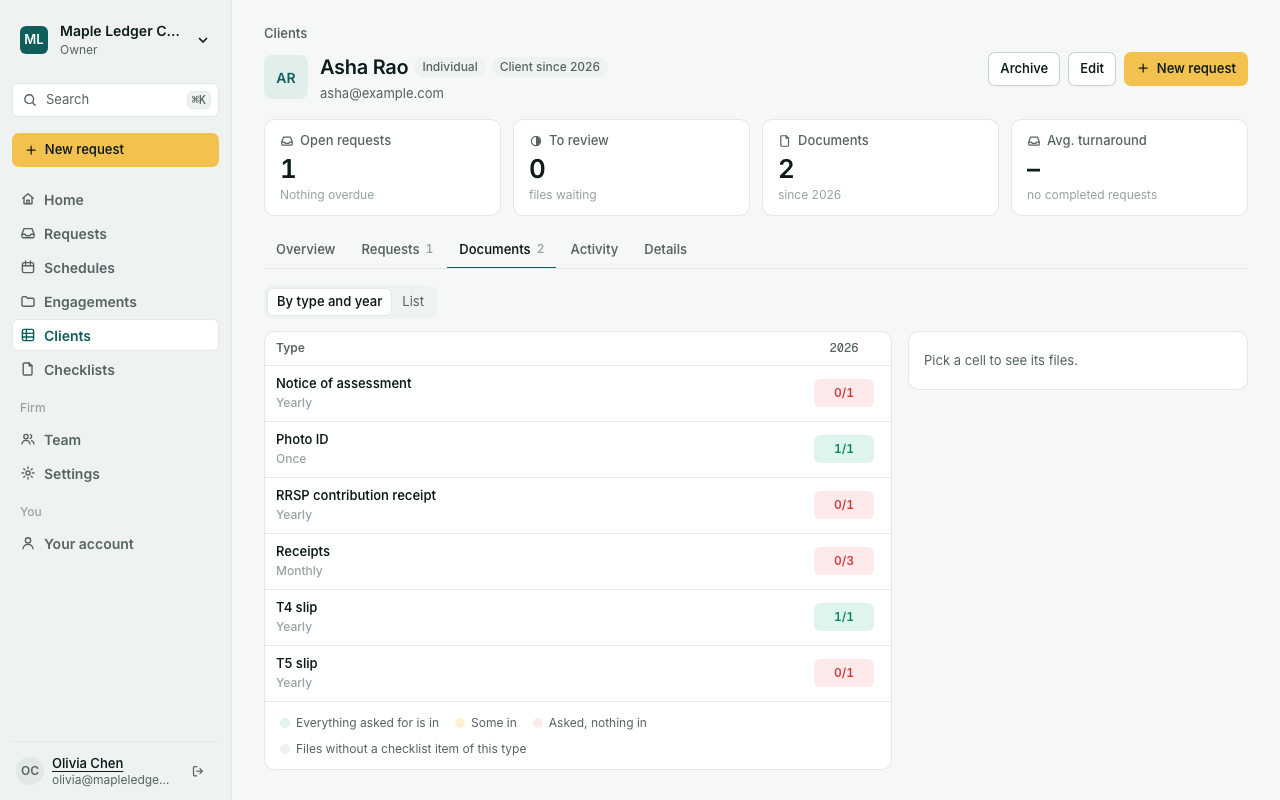
Click a cell to list its files. Click a file to preview it.
A file's year comes from its request's period (for example 2025-12, FY2026 or 2026-Q3). If the request has no period, the year it was sent is used. Give recurring requests a period so their documents land in the right year.
The List view shows every file grouped by type. Filter by file name, type, year or status (To review, Accepted, Returned). Click a file to open it in a panel from the right: a large preview (PDFs and images), its type, period, request, upload date and size, with Download and Open request. Press Esc or click outside to close it; the panel's link can be shared with your team.
Search (In place)
Press ⌘K (Mac) or Ctrl+K (Windows), or /, or click Search in the sidebar (on a phone, the search bar at the top of the screen). Type any mix of:
- a file name, such as
rbc; - a document type or another name for it, such as
bank statementorchequing; - a client name;
- a request title or period;
- a case (engagement, application…) title, reference or tag, such as
ENG-0001; - a checklist name;
- a year, such as
2024.
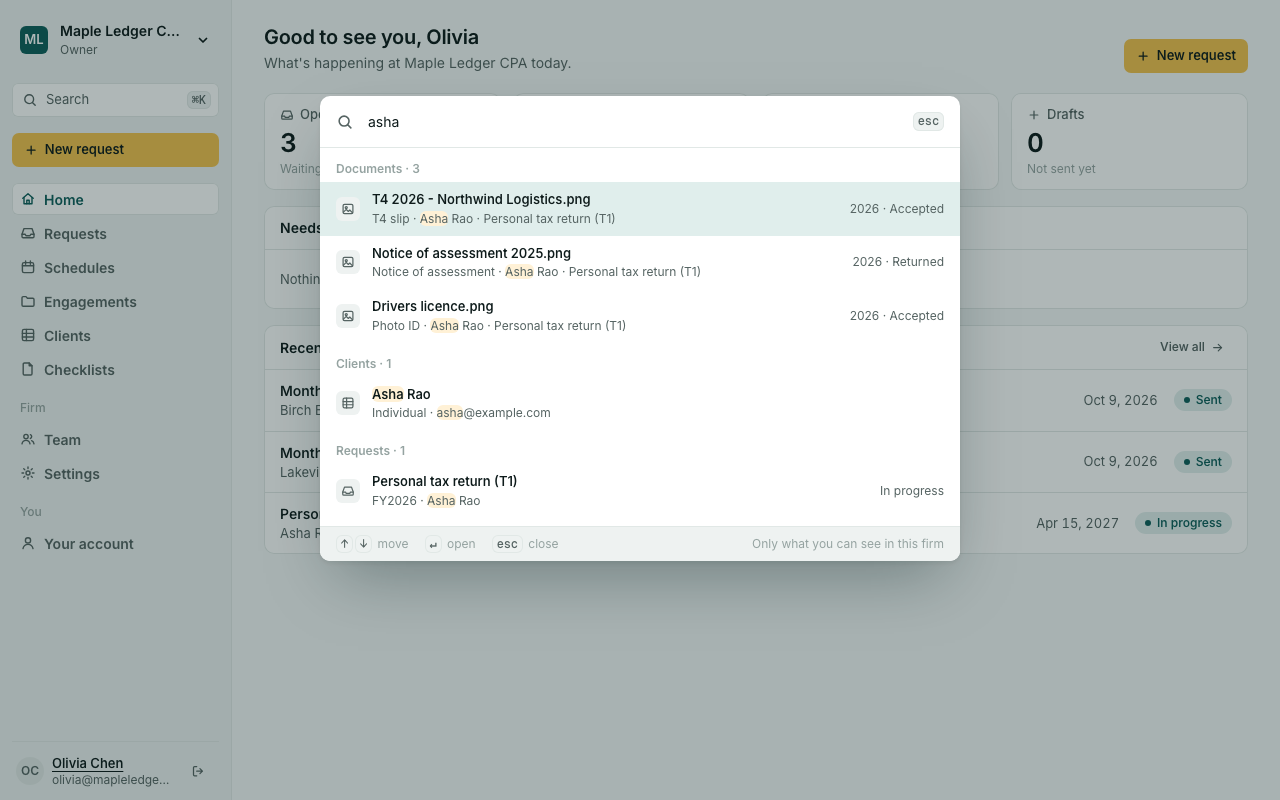
Every word must match, so bank statement acme 2024 finds Acme's 2024 bank statements. Results show documents, clients, requests, cases and checklists, and only what your role lets you see. Use the arrow keys and Enter to open one.
Planned: an activity timeline on the client page (uploads, reviews and emails), and reminders when a document such as a passport is about to expire.